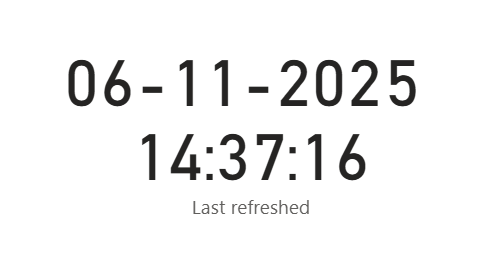
Learn how to show “latest refreshed on” on a published report in Power BI
The challenge
To show latest refreshed on date in Power BI you might have found a good solution that works perfect on your desktop.
But when the report is published to www.powerbi.com the time is suddenly off by several hours.
The reason is that powerbi.com is calculating the local time using UTC.
The solution
We want to create a new custom query that works on www.powerbi.com and returns the latest refresh date converted to our local date/time (which should also work for summer/winter time)
Step 1
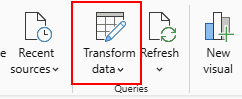
Click on transform data
Step 2
Click on New Source and select Blank Query
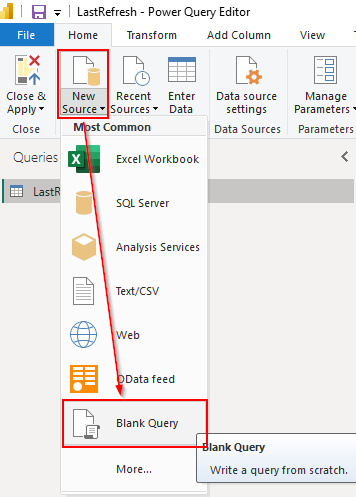
Insert below code in Advanced Editor
let
    WinterOffset = 1,
    SummerOffset = 2,

    LocalTime = DateTime.LocalNow(),
    Year = Date.Year(LocalTime),
    CurrentDate = Date.From(LocalTime),

    LastDayMarch = #date(Year, 3, Date.DaysInMonth(#date(Year,3,1))),
    LastSundayMarch = Date.AddDays(LastDayMarch, -Date.DayOfWeek(LastDayMarch, Day.Sunday)),

    LastDayOctober = #date(Year, 10, Date.DaysInMonth(#date(Year,10,1))),
    LastSundayOctober = Date.AddDays(LastDayOctober, -Date.DayOfWeek(LastDayOctober, Day.Sunday)),

    IsSummerTime = CurrentDate >= LastSundayMarch and CurrentDate < LastSundayOctober,

    Offset = if IsSummerTime then #duration(0, SummerOffset, 0, 0) else #duration(0, WinterOffset, 0, 0),

    Adjusted = LocalTime + Offset,
    Formatted = DateTime.ToText(Adjusted, "dd-MM-yyyy HH:mm:ss"),

    Output = #table({"LastRefresh"}, {{Formatted}})
in
    Output
The WinterOffset and SummerOffSet can be adjusted according to your timezone
Step 3
In Power Query click Close and Apply
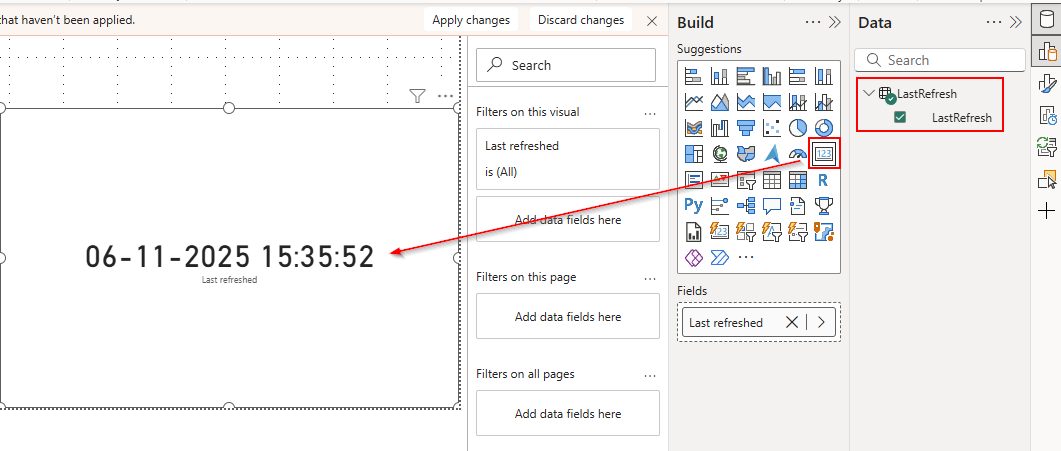
Insert the LastRefresh column into your report. You will notice that the time is off, but this will be OK, since the time will only be “wrong” for the desktop version of the report.
Step 4 Upload your report to www.powerbi.com and refresh your symantic model
The refreshed time will now be your local timezone