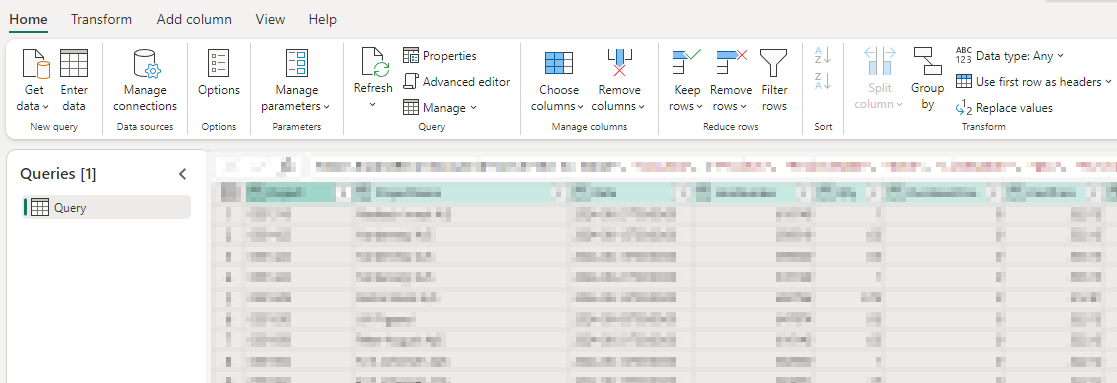
Learn how to query OData with dynamics dates to avoid one or more tables references a dynamic data source error
The challenge
We want to create an OData request, always returning data from the past 10 days.
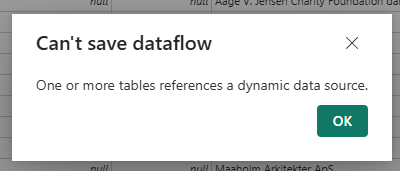
The below code works as intended in Power Query, but when we try to save our Dataflow or setup a scheduled refresh, we get the following error
Can’t save dataflow
One or more tables references a dynamic data source.
let
    // Get the current date
    CurrentDate = DateTime.Date(DateTime.LocalNow()),

    // Calculate the date X days ago
    DateXDaysAgo = Date.AddDays(CurrentDate, -10),

    // Format the date in the required format
    FormattedDate = DateTime.ToText(DateTime.From(DateXDaysAgo), "yyyy-MM-ddTHH:mm:ss"),

    // Construct the OData URL with the formatted date
    ODataUrl = "https://odata.uniconta.com/odata/ProjectTransClient?$filter=Date ge datetime'" & FormattedDate & "'",

    // Fetch the data from OData
    Source = OData.Feed(ODataUrl, null, [Implementation = "2.0"])
in
    Source
Here is the error I get
The solution
In this blog post I will use OData from an ERP system called Uniconta.
You can read their documentation here
The request we are building is similar to below, but we only want data from the past 10 days, from todays date.
https://odata.uniconta.com/odata/ProjectTrancClient?$filter=Date ge datetime'2021-01-01T00:00:00'
Step 1
Create a new blank query and insert below code in the advanced editor
You can change the FilterQuery and BaseUrl to fit you own OData query.
let
  // Define the base URL
  BaseUrl = "https://odata.uniconta.com/odata/ProjectTransClient",

  // Define query parameters
  CurrentDate = DateTime.Date(DateTime.LocalNow()),

  // Calculate the date (X) days ago
  DateXDaysAgo = Date.AddDays(CurrentDate, -10),

  // Format the date in the required format
  FormattedDate = DateTime.ToText(DateTime.From(DateXDaysAgo), "yyyy-MM-dd"),

  // Build filter query
  FilterQuery = "Date ge datetime'" & FormattedDate & "T00:00:00'",

  // Build options and query
  Options = [Headers = [#"accept" = "application/json"], Query = [#"$filter" = FilterQuery]],

  // Get RawData
  RawData = Web.Contents(BaseUrl, Options),
  Json = Json.Document(RawData),
  Navigation = Json[value]
in
  Navigation
Step 2
If you are prompted for credentials, click configure connection

Step 3
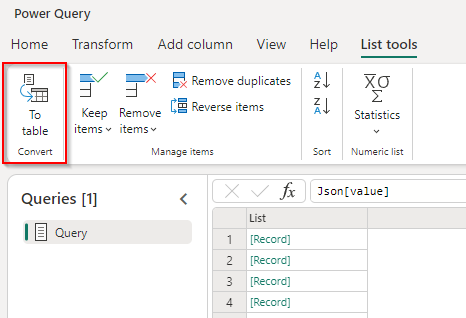
Select To table in the List tools menu
Step 4
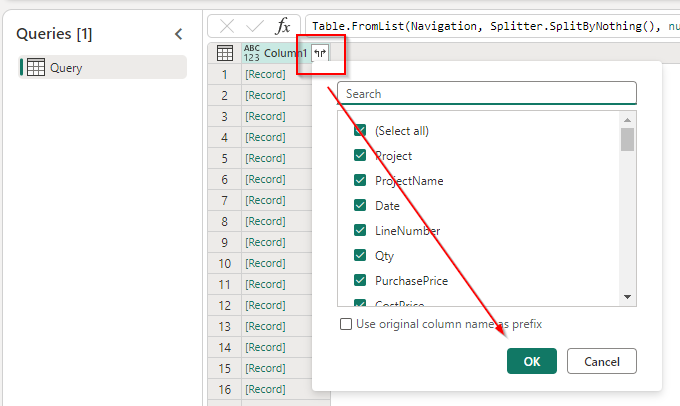
Click on the expand icon and select OK
Step 5
Your data is now ready, and you can save your dataflow, and/or create a scheduled refresh