
Learn how to temporarily skip an action in Power Automate with Static Result
The challenge
Sometimes, when building or testing a Power Automate flow, you might want to temporarily skip an action. For instance, you may not want an item to be created every time you run a test, or you might not need a part of your flow at the moment but don’t want to delete it.
The solution
Luckely we can skip an action with a few clicks 🚀
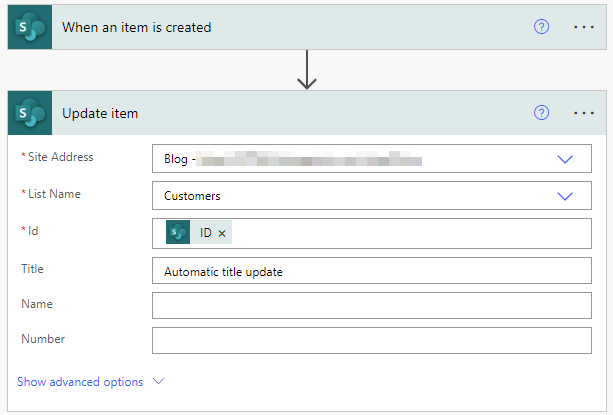
Here I have a simple flow that updates the Title each time a new item is created
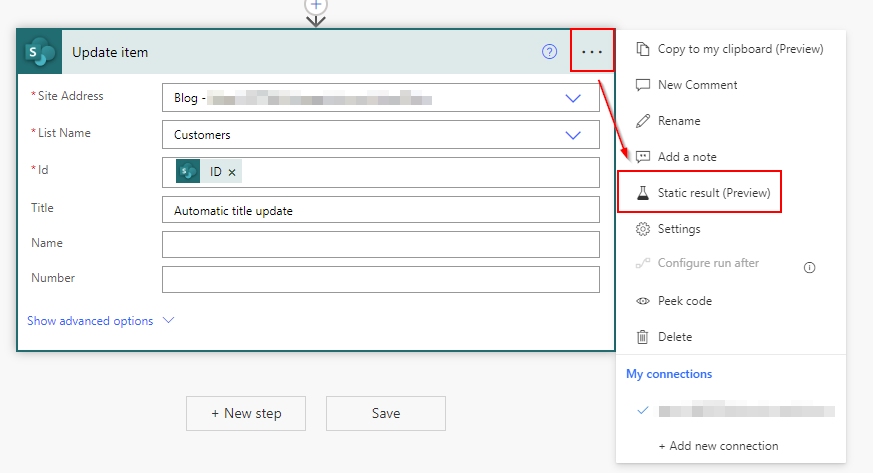
To skip the action Update item click on the 3 dots and select Static result (Preview)
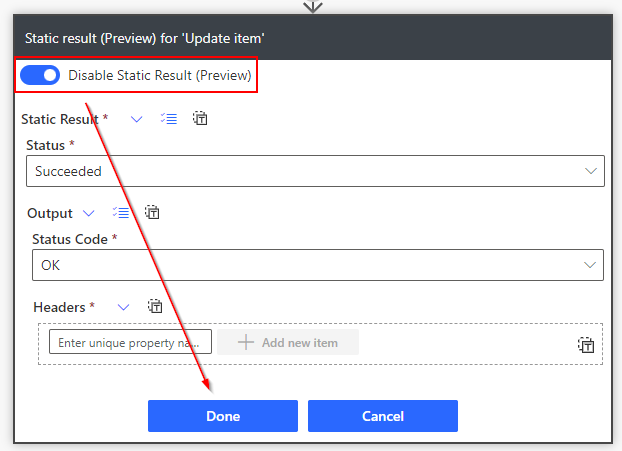
Click Enable Static Result (Preview)
Don’t change anything, and simply press Done
Notice how the action now has a flask symbol
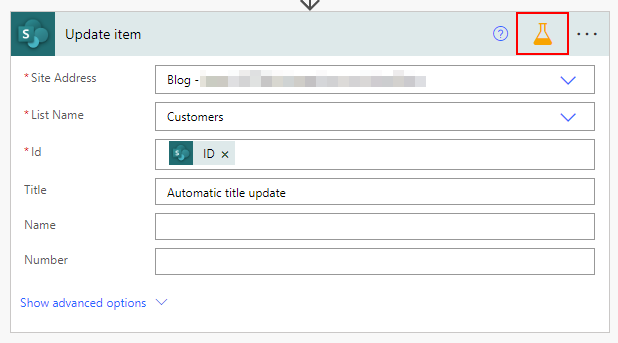
Now our flow don’t really do anything other than returning an OK
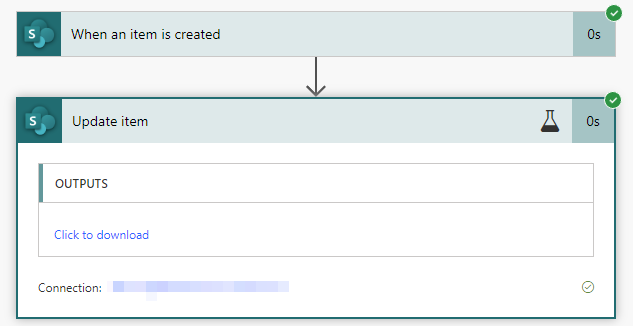
You can turn on the action again by turning off Static Result
Note that this trick does not work with all actions
Shout-out to Pieter Veenstra (MVP)
I had no idea that this was an an option (and it has been since 2020) until Pieter Veenstra re-shared his article from SharePains on LinkedIn, so big thanks to him for sharing 🚀
